 博客详情
博客详情
centos7搭建nexus-2.14私服 (原创)
作者: 朝如青丝暮成雪
发布时间:2019-12-09 09:39:26 文章分类:centos 阅读(2655) 评论(0)
发布时间:2019-12-09 09:39:26 文章分类:centos 阅读(2655) 评论(0)
安装nexus-2.14私服
1、下载安装nexus-2.14
下载nexus-2.14.4-03-bundle.tar.gz ,上传到centos服务器(百度网盘下载, 链接:http://pan.baidu.com/s/1bo5l5Vp 密码:df1t)
mkdir -p /usr/local/nexus2
tar -zxvf nexus-2.14.4-03-bundle.tar.gz -C /usr/local/
cd /usr/local/
mv nexus-2.14.4-03 nexus2/
mv sonatype-work nexus2/
2、启动nexus服务
cd /usr/local/nexus2/nexus-2.14.4-03/bin./nexus console 在当前控制台窗口启动,按ctrl+c结束进程
./nexus start 后台进程启动nexus服务,可查看 logs目录中wrapper.log 输出日志
./nexus stop 停止nexus服务。
./nexus restart 重启
./nexus status 查看服务运行状态
3、修改nexus启动脚本及配置文件
cd /usr/local/nexus2/nexus-2.14.4-03cd bin
vi nexus ,修改一下内容即可
RUN_AS_USER="root"
NEXUS_HOME="/usr/local/nexus2/nexus-2.14.4-03"
cd ../conf
vi nexus.properties,内容无须做修改即可
# Sonatype Nexus
# ==============
# This is the most basic configuration of Nexus.

# Jetty section
application-port=8081
application-host=0.0.0.0
nexus-webapp=${bundleBasedir}/nexus
nexus-webapp-context-path=/nexus

# Nexus section
nexus-work=${bundleBasedir}/../sonatype-work/nexus
runtime=${bundleBasedir}/nexus/WEB-INF

# orientdb buffer size in megabytes
storage.diskCache.bufferSize=4096
4、访问管理后台
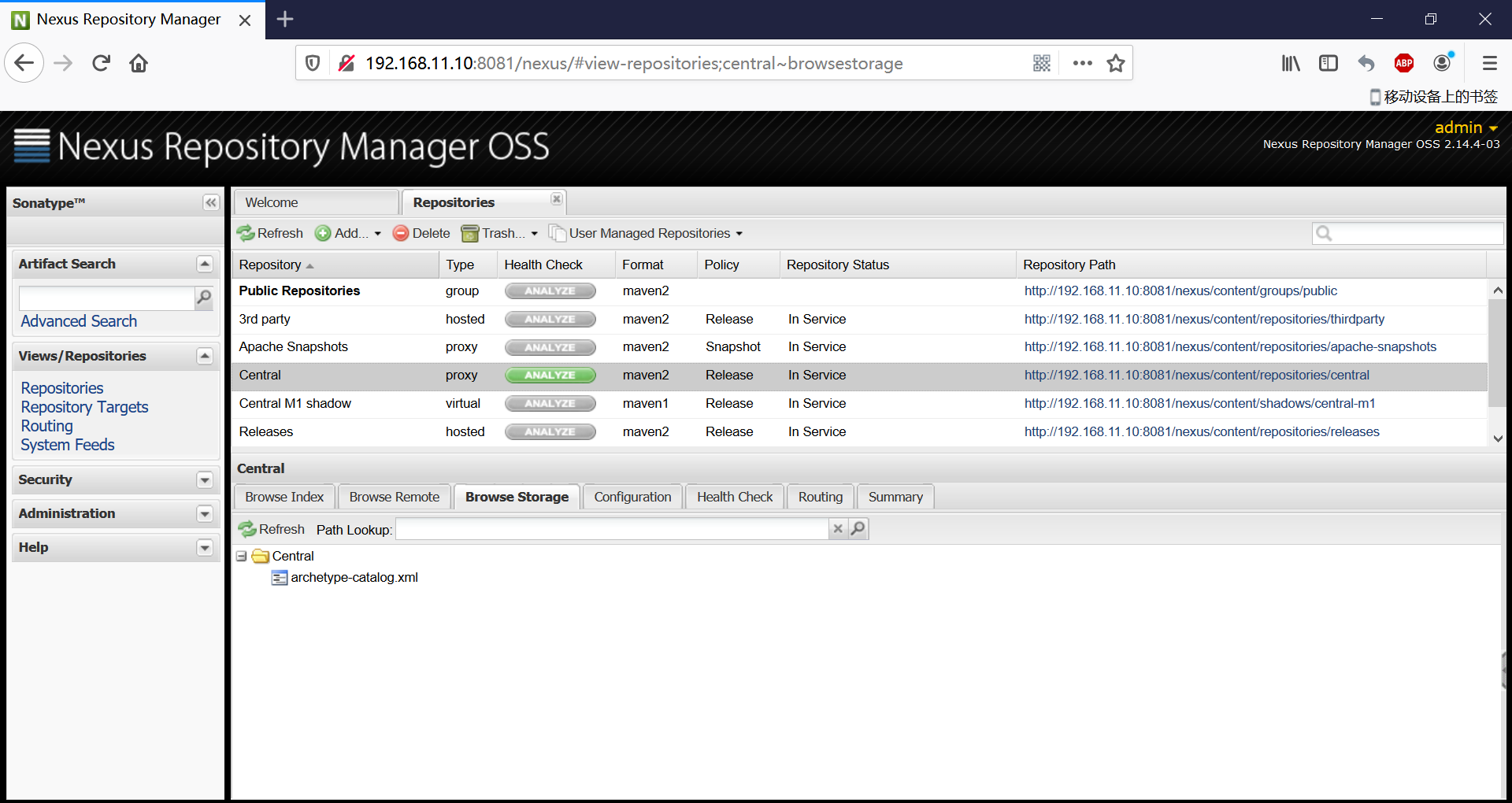
启动 nexus服务后,浏览器访问http://ip:8081/nexus admin/admin123 登录
nexus中存在的内置账号有:
admin/admin123 (管理员) , deployment/deployment123 (部署员)
找到center中央仓库,打开configuration选项卡,修改两个地方
Remote storage location :https://mirrors.huaweicloud.com/repository/maven/Download Remote Indexes :True
保存一下,右键update index或者repair index即可。
5、用户setting.xml配置
<?xml version="1.0" encoding="UTF-8"?>

<settings xmlns="http://maven.apache.org/SETTINGS/1.0.0"
          xmlns:xsi="http://www.w3.org/2001/XMLSchema-instance"
          xsi:schemaLocation="http://maven.apache.org/SETTINGS/1.0.0 http://maven.apache.org/xsd/settings-1.0.0.xsd">

 <localRepository>e:/java/m2/repository</localRepository>

  <pluginGroups>

  </pluginGroups>


  <proxies>

  </proxies>

  <servers>

        <server>
            <id>nexus-releases</id>
            <username>deployment</username>
            <password>deployment123</password>
        </server>


        <server>
            <id>nexus-snapshots</id>
            <username>deployment</username>
            <password>deployment123</password>
        </server>


  </servers>


  <mirrors>
     <mirror>
       <id>nexus-central</id>
       <mirrorOf>central</mirrorOf>
       <url>http://192.168.11.10:8081/nexus/content/groups/public</url>
     </mirror>
  </mirrors>

  <profiles>

	<profile>
      <id>myprofile</id>
      <repositories>
        <repository>
          <id>nexus-central</id>
          <url>http://192.168.11.10:8081/nexus/content/groups/public/</url>
          <releases><enabled>true</enabled></releases>
          <snapshots><enabled>true</enabled></snapshots>
        </repository>
      </repositories>
      <pluginRepositories>

        <pluginRepository>
          <id>nexus-central</id>
          <url>http://192.168.11.10:8081/nexus/content/groups/public/</url>
          <releases><enabled>true</enabled></releases>
          <snapshots><enabled>true</enabled></snapshots>
        </pluginRepository>
      </pluginRepositories>
    </profile>
 </profiles>


 <activeProfiles>
    <activeProfile>myprofile</activeProfile>
 </activeProfiles>

</settings>
6、项目中的pom.xml配置
<distributionManagement>
	  <snapshotRepository>
	    <id>nexus-snapshots</id>
	    <url>http://192.168.11.10:8081/nexus/content/repositories/snapshots</url>
	  </snapshotRepository>
       <repository>
	    <id>nexus-releases</id>
	    <url>http://192.168.11.10:8081/nexus/content/repositories/releases</url>
	  </repository>
  </distributionManagement>
 评论信息
评论信息
暂无评论
 发表评论
发表评论
 博主信息
博主信息

数据加载中,请稍候...
 文章分类
文章分类
数据加载中,请稍候...
 阅读排行
阅读排行
数据加载中,请稍候...
评论排行
数据加载中,请稍候...
