 博客详情
博客详情
springcloud(十二)--断路器监控Hystrix.Stream (原创)
发布时间:2018-08-28 12:00:16 文章分类:springcloud 阅读(1608) 评论(0)
如题,本篇我们介绍下Spring Cloud 中断路器监控组件。
Hystrix.stream 监控单个服务的单台机器(实例)的监控数据 ,只能适用于单台服务器。
Turbine.stream 可监控单个或多个服务的所有机器(实例)的监控数据 ,适用于服务器集群
本篇,我们介绍下Hystrix.stream(单机监控) ,下一篇介绍Turbine.stream(集群监控)。
一、 Hystrix Dashboard(仪表板)应用
它提供了一个web管理页面,用于监视hystrix.stream 或者hystrix.turbine的监控数据。
Hystrix Dashboard应用可以单独部署,也可以在某个业务服务器上开启Hystrix Dashboard 功能即可。
单独部署一台hystrix dashboard应用,非常简单:
1 、pom.xml中引入
<dependency>
<groupId>org.springframework.boot</groupId>
<artifactId>spring-boot-starter-actuator</artifactId>
</dependency>
<dependency>
<groupId>org.springframework.cloud</groupId>
<artifactId>spring-cloud-starter-hystrix-dashboard</artifactId>
</dependency>
2、 springboot启动类上,标记注解 @EnableHystrixDashboard 、@SpringBootApplication ,启动应用即可。
经过了上面的两步后,实际上是让应用开放了一个/hystrix端点(web管理页面),以接收用户浏览器访问 ,然后就可以在web页面上添加需要监控的服务器地址、端口进行监控了。
为了简便起见,笔者就不单独搭建一个Hystrix Dashboard应用了(放到sim-serviceD应用一起)
二、 搭建hystrix.stream 监控
sim-serviceD(端口6006) 应用:
1、pom.xml中引入
        <dependency>
            <groupId>org.springframework.boot</groupId>
            <artifactId>spring-boot-starter-actuator</artifactId>
        </dependency>
        <dependency>
            <groupId>org.springframework.cloud</groupId>
            <artifactId>spring-cloud-starter-hystrix</artifactId>
        </dependency>

        <dependency>
            <groupId>org.springframework.cloud</groupId>
            <artifactId>spring-cloud-starter-hystrix-dashboard</artifactId>
        </dependency>
2、springboot启动类,标记注解@EnableHystrix 、@EnableHystrixDashboard
@SpringBootApplication
@EnableDiscoveryClient
@EnableEurekaClient
@EnableHystrix
@EnableHystrixDashboard
public class SimServiceDApp {

	public static void main(String[] args) {
		SpringApplication.run(SimServiceDApp.class, args);
	}

    @Bean
    @LoadBalanced
    RestTemplate restTemplate() {
	  return new RestTemplate();
    }
}
3、SimServiceDController.java
package com.tingcream.simServiceD.controller;
import org.springframework.beans.factory.annotation.Autowired;
import org.springframework.web.bind.annotation.GetMapping;
import org.springframework.web.bind.annotation.RestController;
import org.springframework.web.client.RestTemplate;
import com.netflix.hystrix.contrib.javanica.annotation.HystrixCommand;
@RestController
public class SimServiceDController {
	private String  SIM_SERVICEE="http://sim-serviceE/";
	@Autowired
	private RestTemplate restTemplate  ;

	@HystrixCommand(fallbackMethod="index_err")
	@GetMapping("/")
	public String index() {
		return "你好,我是sim-serviceD服务";
	}

	public String index_err() {
		return "sim-serviceD   抱歉,服务器连接失败,请稍候重试! ";

	}


	@GetMapping("/hi")
	@HystrixCommand(fallbackMethod ="hi_err")
	public  String hi(String name) {
	   System.out.println("SimServiceDController  hi----------");
	   return   restTemplate.getForObject(SIM_SERVICEE+"/hi_2?name="+name, String.class);
	}

	public String hi_err(String name) {

		return "sim-serviceD:hi  抱歉,服务器连接失败,请稍候重试! ";
	}

}
sim-serviceE(端口6007) 应用:
1、pom.xml中引入
 <dependency>
            <groupId>org.springframework.boot</groupId>
            <artifactId>spring-boot-starter-actuator</artifactId>
        </dependency>
        <dependency>
            <groupId>org.springframework.cloud</groupId>
            <artifactId>spring-cloud-starter-hystrix</artifactId>
        </dependency>
package com.tingcream.simServiceE;

import org.springframework.boot.SpringApplication;
import org.springframework.boot.autoconfigure.SpringBootApplication;
import org.springframework.cloud.client.discovery.EnableDiscoveryClient;
import org.springframework.cloud.client.loadbalancer.LoadBalanced;
import org.springframework.cloud.netflix.eureka.EnableEurekaClient;
import org.springframework.cloud.netflix.hystrix.EnableHystrix;
import org.springframework.context.annotation.Bean;
import org.springframework.web.client.RestTemplate;

@SpringBootApplication
@EnableDiscoveryClient
@EnableEurekaClient  // 向注册中心注册服务
@EnableHystrix
public class SimServiceEApp {
	public static void main(String[] args) {
		SpringApplication.run(SimServiceEApp.class, args);
	}

	 @Bean
	 @LoadBalanced
    RestTemplate restTemplate() {
	  return new RestTemplate();
    }

}
3、SimServiceEController.java
package com.tingcream.simServiceE.controller;

import org.springframework.web.bind.annotation.GetMapping;
import org.springframework.web.bind.annotation.RestController;

import com.netflix.hystrix.contrib.javanica.annotation.HystrixCommand;

@RestController
public class SimServiceEController {

	@HystrixCommand(fallbackMethod="index_err")
	@GetMapping("/")
	public String index() {
		return "你好,我是sim-serviceE服务";
	}

	public String index_err() {
		return "sim-serviceE: 抱歉,服务器连接失败,请稍候重试! ";

	}

	@GetMapping("/hi_2")
	public String hi_2(String name) {
		System.out.println("SimServiceEController  hi_2-------------");

		return "你好 "+name;
	}
}
分别启动sim-eureka 、sim-serviceD、sim-serviceE ,访问http://localhost:6006/hystrix 断路器web监控页面。
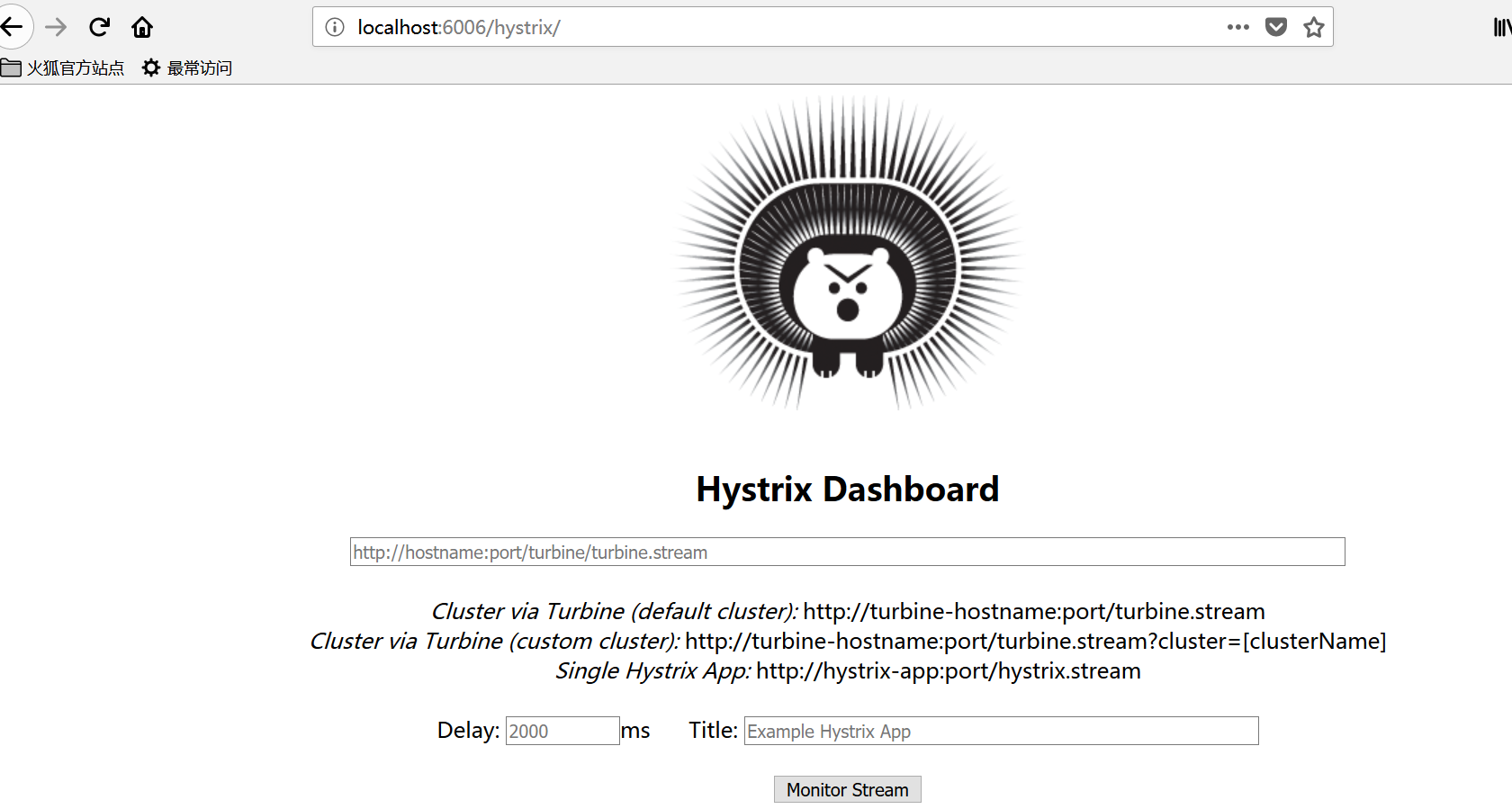
添加地址 http://localhost:6006/hystrix.stream titile: sim-serviceD ,确定监控 。可监控本机6006端口的监控数据。
添加地址 http://localhost:6007/hystrix.stream titile: sim-serviceE , 确定监控。 可监控本机6007端口的监控数据。
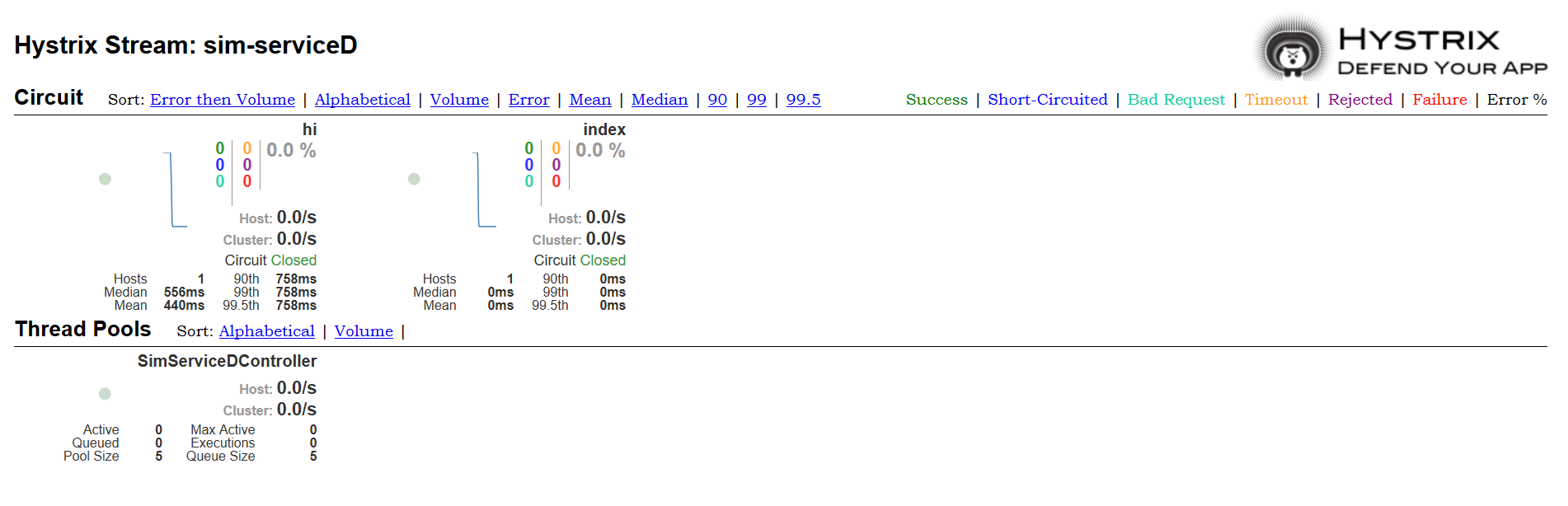
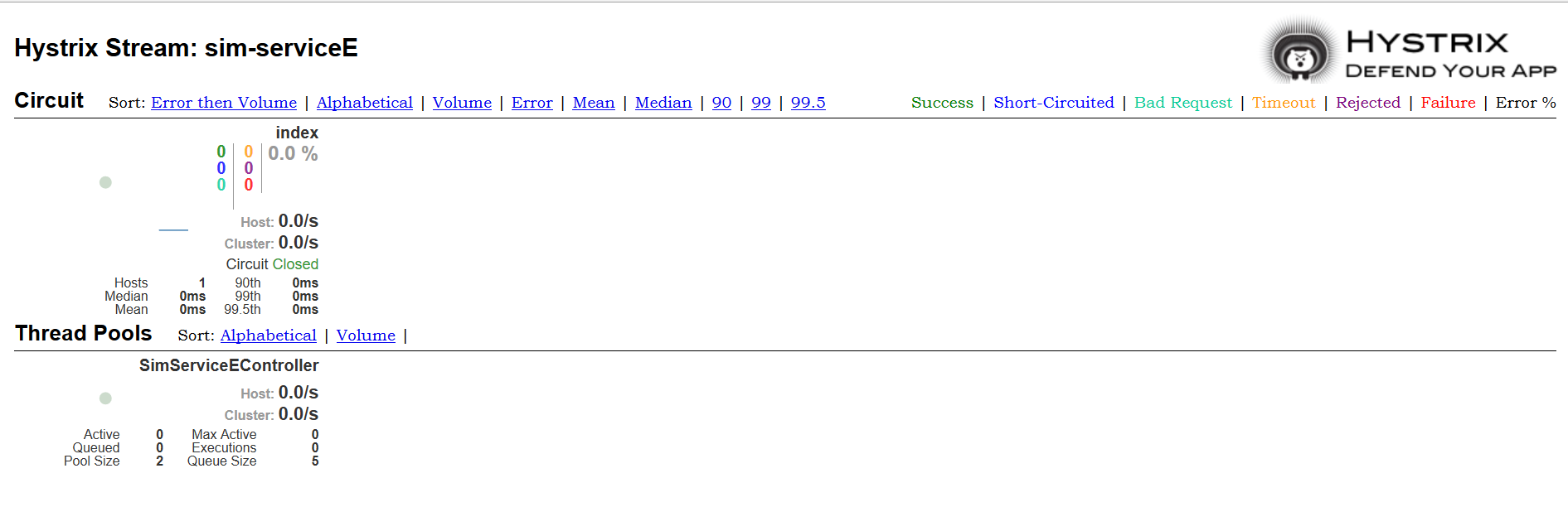
注: 不同的字样表示不同的接口响应级别。
绿色:成功,蓝色:短电路 ,青色:坏请求 ,黄色:超时,暗紫色:拒绝,红色:失败 ,黑色:错误。
 评论信息
评论信息
 发表评论
发表评论
 博主信息
博主信息

数据加载中,请稍候...
 文章分类
文章分类
数据加载中,请稍候...
 阅读排行
阅读排行
数据加载中,请稍候...
评论排行
数据加载中,请稍候...
